


本文记录如何部署并使用一个基于工作量证明(Proof of Work,PoW)的人机验证服务。与传统的图片点选验证码相比,Cap-Pow 不要求访客识别图片,而是在浏览器中完成少量 SHA-256 计算,再由服务端核验结果。
完整示例页面:https://cap-pow.wuw.li/demo.html
如果只想在自己的网站中使用,可以直接跳到“接入现有网站”;如果希望独立运行自己的服务,请继续阅读“自行部署”。
一、工作原理
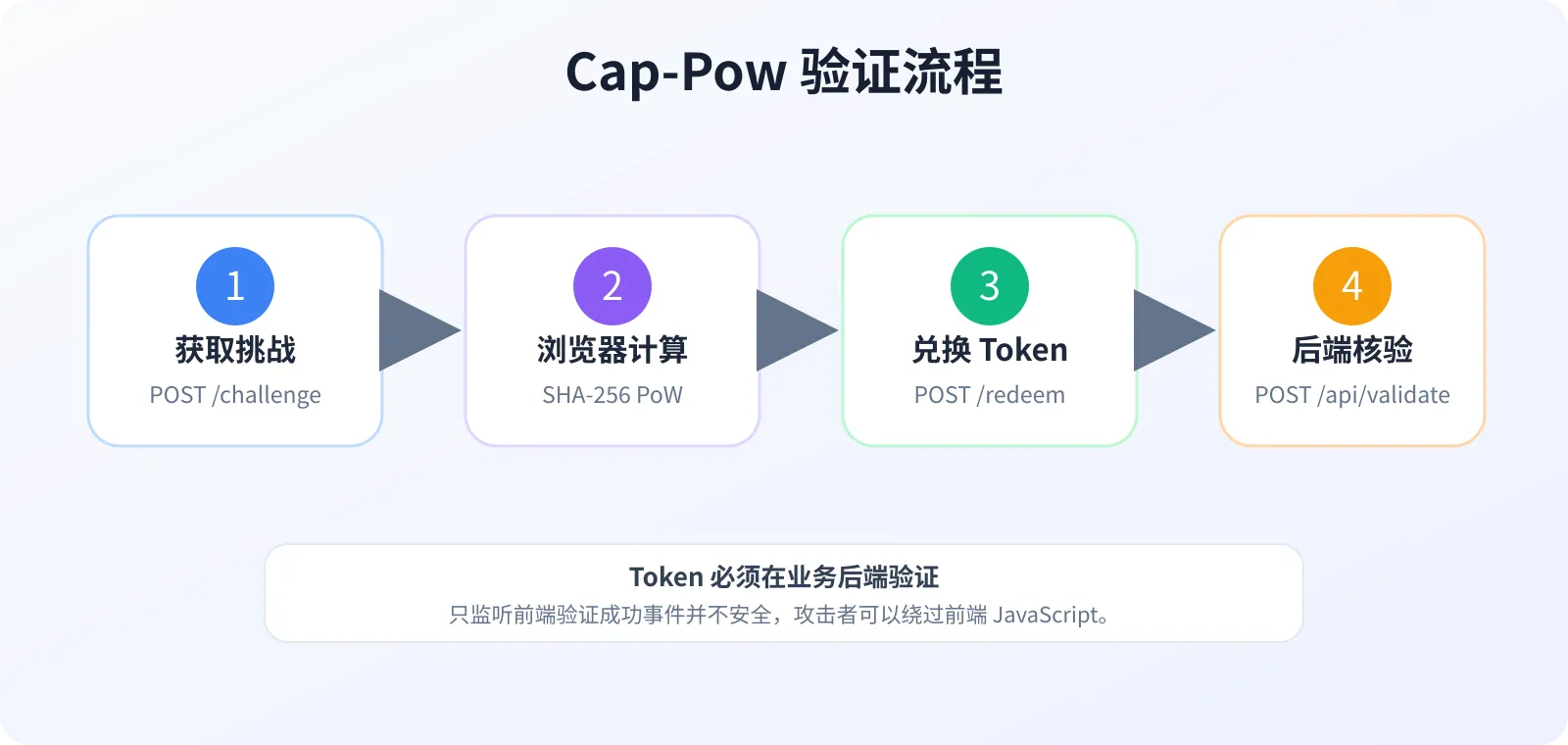
前端向
/challenge请求挑战参数和一次性挑战 token。浏览器使用 Web Crypto 的 SHA-256 完成少量 PoW 计算。
前端把计算结果提交到
/redeem,成功后取得验证 token。业务后端把验证 token 提交到
/api/validate,确认有效后才继续处理表单。
关键点:不能只在前端显示“验证通过”。最终 token 必须由业务后端调用验证接口核验,否则攻击者可以绕过前端 JavaScript。
二、在线体验
先打开下面的示例页面,点击居中的“验证你是人类”按钮:
验证成功后按钮会变成绿色,并在页面下方显示 token 的前一部分。正式接入时不需要把 token 展示给用户,而是把它写入隐藏表单字段并随业务表单一起提交。
三、接入现有网站
1. 引入 CSS 和 JavaScript
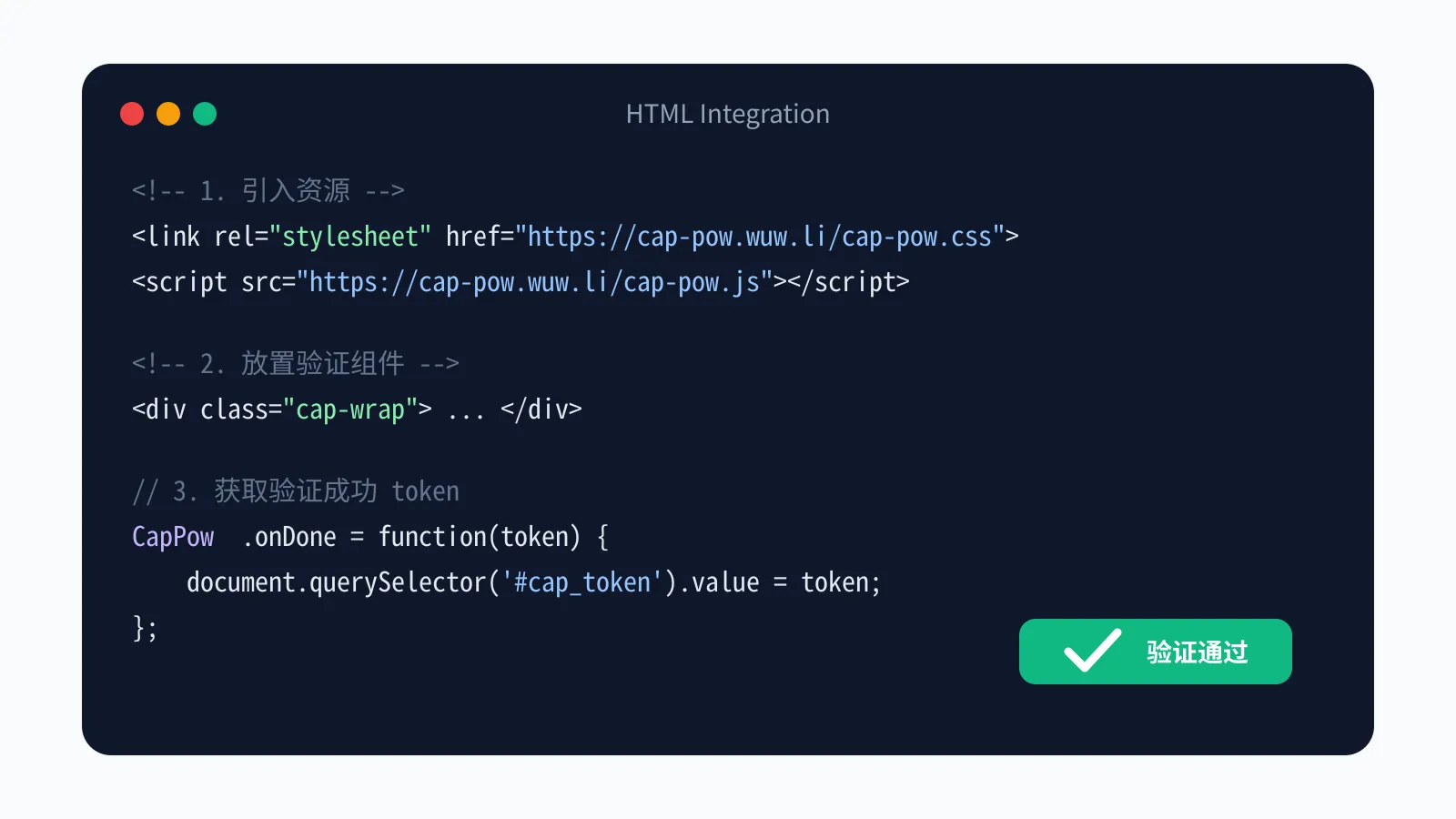
把下面代码放进网页中。CSS 负责原版按钮外观,JavaScript 负责挑战计算与 token 获取。
<link rel="stylesheet" href="https://cap-pow.wuw.li/cap-pow.css">
<script src="https://cap-pow.wuw.li/cap-pow.js"></script>

<div class="cap-wrap">
  <div class="captcha">
    <div class="cap-ct" id="cap-ct" role="button" tabindex="0"
         onclick="CapPow.go('cap-ct')">
      <div class="cap-cb">
        <div class="cap-check">
          <svg viewBox="0 0 24 24">
            <polyline points="4,12 9,17 20,6"></polyline>
          </svg>
        </div>
        <svg class="cap-ring" viewBox="0 0 32 32">
          <circle class="cap-ring-bg" cx="16" cy="16" r="14"></circle>
          <circle class="cap-ring-fg" cx="16" cy="16" r="14"></circle>
        </svg>
      </div>
      <div class="cap-lw">
        <span class="cap-label active">验证你是人类</span>
      </div>
    </div>
  </div>
</div>

<input type="hidden" name="cap_token" id="cap_token">
<script>
CapPow.onDone = function (token) {
  document.getElementById('cap_token').value = token;
  // 验证完成后再允许提交表单
};
CapPow.onFail = function (message) {
  console.error('Cap-Pow 验证失败:', message);
};
</script>
2. 把 token 随表单提交
上面的 CapPow.onDone 会把 token 写入隐藏字段 cap_token。之后正常提交登录、注册、留言或联系表单即可。
3. 在 PHP 后端验证 token
把下面代码放在业务处理代码之前。只有 success=true 才能继续执行后续逻辑。
<?php
$token = $_POST['cap_token'] ?? '';

$context = stream_context_create([
    'http' => [
        'method'  => 'POST',
        'header'  => "Content-Type: application/json\r\n",
        'content' => json_encode(['token' => $token]),
        'timeout' => 5,
    ],
]);

$response = @file_get_contents(
    'https://cap-pow.wuw.li/api/validate',
    false,
    $context
);
$result = $response ? json_decode($response, true) : null;

if (!$result || empty($result['success'])) {
    http_response_code(400);
    exit('人机验证未通过,请刷新后重试');
}

// 验证通过,继续登录、注册、留言或表单提交等业务逻辑。
验证 token 建议仅使用一次。不要把接口返回成功缓存到 Cookie、LocalStorage 或 CDN 中。
四、自行部署 PHP 服务端
1. 环境要求
Linux 服务器
Nginx 或 OpenResty
PHP 8.0 或更高版本
PHP-FPM、PDO SQLite、OpenSSL 扩展
HTTPS 域名
2. 下载源码
git clone https://github.com/onexru/cap-pow-php-server.git /var/www/cap-pow
cd /var/www/cap-pow
mkdir -p .data
chown -R www-data:www-data /var/www/cap-pow
SQLite 数据库存放在 .data/cap.db。PHP-FPM 用户必须对 .data 目录拥有写权限,否则挑战和 token 无法持久化。
3. 配置 Nginx / OpenResty
challenge、redeem 和 validate 都是 POST 接口,推荐直接映射到对应 PHP 文件,不要使用可能改变请求方法的跳转。
server {
    listen 443 ssl http2;
    server_name cap.example.com;
    root /var/www/cap-pow;
    index index.php;

    location = /challenge {
        include fastcgi_params;
        fastcgi_pass 127.0.0.1:9000;
        fastcgi_param SCRIPT_FILENAME $document_root/challenge.php;
    }
    location = /redeem {
        include fastcgi_params;
        fastcgi_pass 127.0.0.1:9000;
        fastcgi_param SCRIPT_FILENAME $document_root/redeem.php;
    }
    location = /validate {
        include fastcgi_params;
        fastcgi_pass 127.0.0.1:9000;
        fastcgi_param SCRIPT_FILENAME $document_root/validate.php;
    }
    location = /api/challenge {
        include fastcgi_params;
        fastcgi_pass 127.0.0.1:9000;
        fastcgi_param SCRIPT_FILENAME $document_root/challenge.php;
    }
    location = /api/redeem {
        include fastcgi_params;
        fastcgi_pass 127.0.0.1:9000;
        fastcgi_param SCRIPT_FILENAME $document_root/redeem.php;
    }
    location = /api/validate {
        include fastcgi_params;
        fastcgi_pass 127.0.0.1:9000;
        fastcgi_param SCRIPT_FILENAME $document_root/validate.php;
    }
}
补充证书路径后执行:
nginx -t && systemctl reload nginx4. 调整验证难度
c 是挑战轮数,d 是哈希前缀难度。难度过高会导致手机 CPU 占用较高、页面长时间显示“验证中”。建议先使用较轻参数,再结合真实设备测试。
// challenge.php 中可按设备性能调整
$challenge = [
    'c' => 8,   // 挑战轮数
    's' => 64,  // 盐长度
    'd' => 3,   // 难度;数值越大越耗算力
];
$expires = 300;
$pow_data = $cap->createChallenge($challenge, $expires);
五、API 说明
六、常见问题
一直显示“验证中”怎么办?
先查看浏览器控制台以及
/challenge、/redeem的响应。确认前端 PRNG、SHA-256 计算规则与 PHP 后端完全一致。
降低
c或d,避免移动设备长时间满负载计算。确认 CDN 没有缓存 challenge、redeem、validate 等动态接口。
为什么必须后端验证?
前端代码运行在访问者设备上,任何人都可以修改或绕过。只有你的业务服务器向 /api/validate 提交 token 并得到成功结果,才能证明本次请求通过验证。
跨域接入需要什么?
如果组件页面和 Cap-Pow 服务不在同一个域名,需要在服务端允许前端域名访问 challenge 和 redeem 接口。生产环境可将 Access-Control-Allow-Origin 从通配符改为自己的站点域名。
七、地址汇总
PHP 项目:onexru/cap-pow-php-server
Cap 项目:tiagorangel1/cap
至此,一个可独立部署、可嵌入现有表单、并能在后端完成最终核验的 Cap-Pow 服务就配置完成了。